
Image to JPG Converter – Save Supported Photos as JPEG
Turn a supported image into a JPG for a form, document or editor. Select the JPEG quality and the colour to use behind any transparent areas.
Drop or paste an image
JPG, JPEG, JFIF, PNG, WebP and AVIF up to 25 MB. AVIF depends on browser decoding.
Live Preview
JPEG can keep supported descriptive fields when unchecked. GPS and embedded previews are always removed.
Conversion Settings
Quality applies to JPG and WebP. PNG is lossless, so it has no quality setting.
This colour fills transparent areas in JPG and when transparency is turned off for PNG or WebP.
Download
Converting never changes your original file — the download is a new file with the converted format.
How to convert Image to JPG
- Open or select. Add a supported JPG, JPEG, JFIF, PNG, WebP or AVIF image. The preview identifies the actual source.
- Review settings. Leave the output on JPG. Adjust quality and, if the source is transparent, set the background colour for the destination.
- Save and check. Save the .jpg file, reopen it and verify the file size before uploading it to the destination.
Choose a JPEG that fits the destination
Choose the next use first
For an application form, check the required extension, dimensions and byte limit before starting. JPG and JPEG are two common extensions for one encoding. This page downloads .jpg. If the form requires a specific pixel size, resize a copy separately and convert after resizing.
Check background and detail
With a transparent product edge or logo, select a background that matches the document. White works on a white form and produces a visible rectangle on a dark page. At lower quality, zoom into saturated edges and small lettering to look for fringes or blocks. Compare the converted file at the size it will actually be used.
Keep the camera original
Saving a JPEG from an existing JPEG performs another encode. Work from the best source you have each time you change quality. If a .jpeg image already meets the requirements apart from its extension, the JPEG to JPG rename workflow is the appropriate way to retain the original bytes.
Format reference. WHATWG Canvas image encoding.
Image to JPG measured example
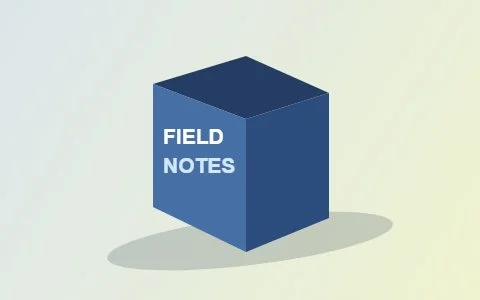
A rendered notebook package with a softly shaded backdrop was exported from PNG to JPG at 85% quality. The measured result illustrates why a JPEG can be much smaller for a detailed, opaque scene. The same outcome is not guaranteed for a very small source.

| Metric | Input | Output |
|---|---|---|
| Container | PNG | JPEG |
| Pixel dimensions | 480 × 300 px | 480 × 300 px |
| File size | 119,103 bytes | 7,637 bytes |
| Transparency | Opaque corner | Opaque corner |
| EXIF marker | Absent | Absent |
| Quality setting | Source file | 85% |
The downloaded file was 93.6% smaller in this run. The figures are WebP display copies of the same input and download. The table uses exact file bytes from the original test and an independent decoder. Results depend on the source, selected settings and browser encoder.
Compare the input and output
| Input | Output |
|---|---|
| Supported decoded image | JPEG (.jpg) |
Settings, format limits and troubleshooting
Strip descriptive JPEG metadata starts on. If the source and destination are JPEG, clearing it can retain supported descriptive EXIF fields. GPS and embedded previews are still removed. Other decoded source formats are rendered onto a new canvas before JPEG export, so their source metadata does not carry through.
JPEG is a still format and has no alpha channel. This workspace also accepts other supported input formats and identifies them before processing. AVIF still needs a working decoder. Conversion does not resize the image. If a receiving service needs a smaller canvas, change the dimensions first with the image resizer.
For a byte-preserving extension change, use JPEG to JPG and select the rename option.
Frequently asked questions
Is image to JPEG a different conversion?
JPG and JPEG are the same format. This page covers both searches and uses the .jpg extension.
Will the JPG be smaller?
That depends on the source encoding, image content and quality setting. Compare the actual download size with the destination limit.
Can I keep transparent pixels in a JPG?
No. Pick a fill colour, or choose PNG or WebP if the destination needs transparency.