
AVIF to JPG Converter – Save AVIF Photos as JPEG Files
Save an AVIF photo as a JPG for sharing or a JPEG-only editor. The source must decode in your browser before you can preview or download it.
Drop or paste an image
JPG, JPEG, JFIF, PNG, WebP and AVIF up to 25 MB. AVIF depends on browser decoding.
Live Preview
JPEG can keep supported descriptive fields when unchecked. GPS and embedded previews are always removed.
Conversion Settings
Quality applies to JPG and WebP. PNG is lossless, so it has no quality setting.
This colour fills transparent areas in JPG and when transparency is turned off for PNG or WebP.
Download
Converting never changes your original file — the download is a new file with the converted format.
How to convert AVIF to JPG
- Open or select. Select the .avif file and wait for the preview. Check landscape or portrait orientation and the decoded dimensions.
- Review settings. Keep JPG selected. Check the background colour and adjust quality for your destination.
- Save and check. Download the JPEG and compare the size and key colours with the original. Keep the AVIF to avoid quality loss in future exports.
Decide when a JPEG fallback is worth making
Check whether the destination can take AVIF
Retain the AVIF if your editor or publishing workflow handles it. Create a JPEG for a receiving app that needs the older format. A fixed file-size cap can still reject a compatible JPEG, so compare the generated output before submitting it. The measured landscape example grew when saved as JPEG.
Look at highlight colour and the background
The source format can carry alpha and extended colour information. This converter renders the browser-decoded image onto a canvas for a normal JPEG export. Review highlights, gradients and saturated colours if the original used HDR or a wide gamut. Set a background colour if the AVIF has transparent pixels.
Distinguish a decoder failure from damage
The workspace tests whether the browser can decode a sample AVIF. If the capability message appears, try a browser with a working decoder or export the original from an editor. A file can still fail in a browser that opened the test image. Check that it is a valid AVIF and that the file is complete. Changing the extension cannot repair it.
Format reference. Alliance for Open Media AVIF specification.
AVIF to JPG measured example
The AVIF input is a locally encoded sunset landscape illustration. It was re-encoded as JPEG at 90%. The JPEG was larger in this run despite having the same pixel width and height.
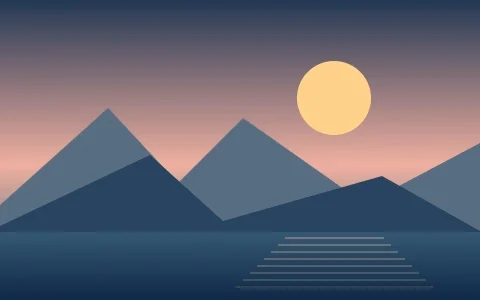

| Metric | Input | Output |
|---|---|---|
| Container | AVIF | JPEG |
| Pixel dimensions | 480 × 300 px | 480 × 300 px |
| File size | 3,803 bytes | 12,955 bytes |
| Transparency | Opaque corner | Opaque corner |
| EXIF marker | Absent | Absent |
| Quality setting | Source file | 90% |
The downloaded file was 240.7% larger in this run. The figures are WebP display copies of the same input and download. The table uses exact file bytes from the original test and an independent decoder. Results depend on the source, selected settings and browser encoder.
Compare the input and output
| Input | Output |
|---|---|
| Browser-decodable AVIF | JPEG (.jpg), opaque still |
Settings, format limits and troubleshooting
The JPEG quality slider trades detail against bytes. Start near the default, open the exported file, and look at areas with a smooth gradient for banding. If a small export must stay transparent, select PNG or WebP where supported.
AVIF decoding depends on the browser and the file’s characteristics. AVIF sequences, alpha, colour and HDR are capabilities of the format. This tool exports a still JPEG based on the browser-decoded image and offers no animation or HDR preservation setting.
For a different source and target, open the image converter.
Frequently asked questions
Why does my browser say it cannot open AVIF?
The device may lack a suitable decoder, or the file may be incomplete or damaged. Try a known-good AVIF in a capable browser to distinguish those cases.
Does JPEG preserve transparency from AVIF?
No. Pick the colour that should fill transparent areas or use a target that supports alpha.
Does the converted file always get smaller?
No. Compare the exact downloaded bytes with the AVIF. The verified landscape example was larger after conversion.