
Resize Image for GATE – Prepare a Photo and Signature
Resize your photograph and signature to the sizes the GATE application portal (GOAPS) accepts — photo 3.5 × 4.5 cm and signature in the wide ratio GOAPS requires.
Drop images here, paste from clipboard, or choose files
Supports JPG, PNG, WebP, GIF, and BMP • Max 25 MB per file
GATE mode: calibrated for GOAPS official photo (413 × 531 px) and signature (400 × 120 px) sizes.
Tip: You can also copy any picture to your clipboard and press Ctrl+V to paste
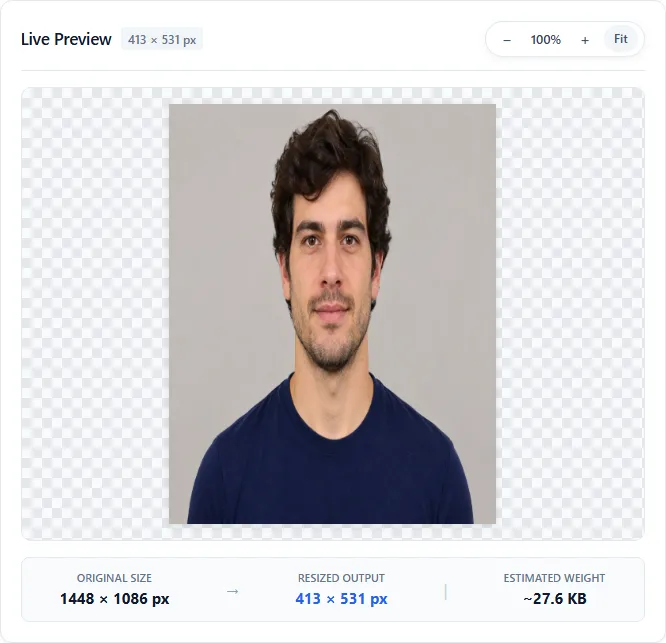
Live Preview
Uncheck to keep descriptive tags from a JPEG when saving as JPEG. Location data and embedded previews are always removed.
100% preserves original dimensions. 50% halves each dimension; 200% doubles each dimension.
Scale proportionally so the image fits inside these maximum boundaries without stretching or distortion.
Scale the image by its longest dimension. The shorter edge scales proportionally automatically.
Keeps the original dimensions and pixels. Savings depend on the image, and optimization may remove metadata.
JPG and WebP quality settings trade detail for file size. Use File Size Only to preserve the original pixels.
JPEG does not support transparency. Transparent areas will be filled with this background color.
The sizes on this page follow the GATE 2027 Information Brochure (IIT Madras), Section 6.7. Everything runs in your browser; nothing is uploaded. Always re-check the current GATE notice before applying, because the specifications can change from one exam cycle to the next.
How to Resize Image for GATE With Correct Dimensions
GATE needs two separate images — a photograph and a signature — and each has its own size rules. Resize them one at a time with the two buttons below: the photo button sets 413 × 531 px, the signature button sets 400 × 120 px, and both sit inside the ranges GOAPS accepts.
Prepare Input Files or Images
For the photograph, use a recent, good-quality colour passport photo against a plain white background, with your face covering 60–70% of the frame and nothing else in the picture — no cap, no sunglasses, no other person. For the signature, sign on plain white paper in black or dark blue ink, then scan or photograph it so the signature covers 70–80% of the image. Both files must be JPG or JPEG; PNG uploads are not accepted by GOAPS, so pick JPG in the format selector before downloading.
Choose Settings and Preview Changes
Add the photo first and click the "GATE photo" button (413 × 531 px), then download it. Then start over, add the signature, and click the "GATE signature" button (400 × 120 px). The preview and the "Output size" readout show the exact pixel dimensions before you download. The photo button gives an aspect ratio of 0.78, inside the 0.66–0.89 range GOAPS requires; the signature button gives a width-to-height ratio of 3.33, inside the 2.75–3.75 range.
Download and Verify the Output
Download each file as JPG and check two things: the pixel dimensions (413 × 531 px for the photo, 400 × 120 px for the signature) and the file size — the photo must be between 5 KB and 600 KB, the signature between 3 KB and 300 KB. Resizing sets the pixel size only; if a file is over its KB limit, use the KB compressor linked below to bring it under the limit without changing the dimensions.
Resize Image for GATE: Width, Height and Aspect Ratio Settings
GOAPS states its sizes as ranges, not single numbers, so any size inside the range is accepted. The photograph must be 200 × 260 to 530 × 690 px with a width-to-height ratio between 0.66 and 0.89, in JPEG format, 5–600 KB. The signature must be 250 × 80 to 580 × 180 px with a height-to-width ratio of 1:R where R is between 2.75 and 3.75, in JPEG format, 3–300 KB. This page defaults to the middle of each range — 413 × 531 px for the photo (3.5 × 4.5 cm at 300 DPI) and 400 × 120 px for the signature — so the files are comfortably inside the limits.
Recommended Default Settings
Use the two GATE buttons and leave everything else as it is: JPG format, quality 90%. Do not switch the aspect lock on for these two sizes — the exact pixel values are the point. If your photo is not a portrait shape, crop it to a portrait shape first (the crop tool is linked below) so the resize does not stretch your face.
Resize Image for GATE: Examples and Use Cases
The usual GATE workflow is: a passport photo taken at a studio or with a phone, and a signature scanned from paper. A 1200 × 1600 px phone portrait resized with the photo button becomes 413 × 531 px — the same portrait shape, ready to upload. A wide signature scan of, say, 1600 × 400 px resized with the signature button becomes 400 × 120 px. Both files appear on your GATE admit card and scorecard, so check them closely before uploading: a blurry photo or a cropped signature cannot be fixed after submission except through the correction window, if one is open.
Real Input and Output Example
Photo: a 1200 × 1600 px portrait becomes 413 × 531 px at JPG quality 90% — typically 40–80 KB, well inside the 5–600 KB range. Signature: a 1600 × 400 px scan becomes 400 × 120 px at JPG quality 90% — typically 10–25 KB, inside the 3–300 KB range. Exact file sizes vary with the image content: a busy background makes a larger file, a plain white background a smaller one.
Pixels, Measurement Units, DPI and Output Quality
GOAPS checks pixels, aspect ratio, format and file size — it does not check DPI, so the DPI selector on this page does not matter for GATE. The photo button's 413 × 531 px comes from 3.5 × 4.5 cm at 300 DPI (px = cm × DPI ÷ 2.54), which is simply a convenient size inside the allowed range; any size from 200 × 260 to 530 × 690 px with the right aspect ratio would also be accepted. Shrinking a large photo keeps it sharp; enlarging a tiny one softens it, so start from the best-quality original you have.
Image Quality, Size and Compatibility Checks
Export both files as JPG — GOAPS accepts JPEG/JPG only. JPG quality 90% is a good default: visibly clean, with a much smaller file than 100%. A file under the minimum (below 5 KB for the photo, below 3 KB for the signature) is also rejected, which can happen with a nearly blank image — if that happens, raise the quality or use a slightly larger pixel size within the allowed range. Individual files over 25 MB are rejected by this tool before processing starts.
Common Resize Image for GATE Problems and Fixes
The most common rejection is a photo with the wrong background or a face that is too small in the frame — the brochure requires a white background and a face covering 60–70% of the photo, and no resizing tool can fix a photo that does not meet that. The second is a file over the KB limit: compress it (linked below) rather than shrinking the pixels further. The third is uploading a PNG — GOAPS wants JPEG, so check the format selector before downloading.
Troubleshooting Upload, Preview or Export Issues
If a file will not load, it is usually an unsupported type or a corrupt file; the tool names the file in its error message. If the preview shows a dash instead of a size, click one of the two GATE buttons again to fill in the dimensions. If a download does not start, allow downloads from this site in your browser and try again. And if the GOAPS portal rejects a file this page produced, re-read the current GATE Information Brochure — the specifications can change between cycles, and the brochure is always authoritative.
Related Tools and Next Steps
Merge Images, Image Resizer, Resize Image to 3.5 x 4.5 cm, Resize Signature, Merge Photo & Signature, Reduce Image Size in KB.
Frequently Asked Questions About Resize Image for GATE
Mobile Support, File Privacy and Download Options
This page works in any modern mobile or desktop browser. Your photos are processed locally with the Canvas API and never leave your device, and downloads save straight to your phone or computer.
What is the GATE photo size for the application?
A passport-size colour photo, 3.5 × 4.5 cm, in JPEG/JPG format, 200 × 260 to 530 × 690 px, with a width-to-height ratio of 0.66–0.89, file size 5–600 KB, on a white background with the face covering 60–70% of the photo. This page defaults to 413 × 531 px, which sits inside all of those ranges.
What is the GATE signature size for the application?
A JPEG/JPG image, 250 × 80 to 580 × 180 px, with a height-to-width ratio of 1:R where R is between 2.75 and 3.75, file size 3–300 KB, in black or dark blue ink, with the signature covering 70–80% of the image. This page defaults to 400 × 120 px (ratio 3.33).
Why does the photo button use 413 x 531 pixels?
413 × 531 px is 3.5 × 4.5 cm at 300 DPI (px = cm × DPI ÷ 2.54), and it sits inside the allowed 200 × 260 to 530 × 690 px range with an aspect ratio of 0.78, inside the required 0.66–0.89. Any size inside the range would be accepted; this one matches the printed passport size exactly.
Does this tool guarantee my file will be under the KB limit?
No. Resizing sets the pixel dimensions; the file size in KB depends on the image content and the JPG quality. After downloading, check the file size in your file manager: the photo must be 5–600 KB and the signature 3–300 KB. If a file is over the limit, use the Reduce Image Size in KB tool to bring it under without changing the dimensions.
Where do these GATE specifications come from?
The GATE 2027 Information Brochure (IIT Madras), Section 6.7, which sets the photograph and signature requirements; the minimum file sizes (5 KB photo, 3 KB signature) are stated on the GOAPS portal page. Specifications can change between exam cycles, so always check the current brochure and notice before applying.
Check the current GATE upload field before using its preset
If you resize image for GATE registration, compare the actual width, height, format, and byte size with the current form before submitting. The photo and signature can have different requirements. Save a source copy so you can make a new crop.
Check the official photograph and signature examples
The GATE application treats the photograph and the scan of your handwritten signature as separate files. Compare the framing of both downloads with the organizer's acceptable and unacceptable examples. Use the current exam cycle's rules if they differ from the presets.
IIT Madras publishes the GATE 2027 upload limits and examples for each file.